
Fasting and food, finally in one app
A timer tells you when to eat. CarbMeNot also handles what you eat — snap a photo to log your window's meals so the hours you fasted actually pay off.


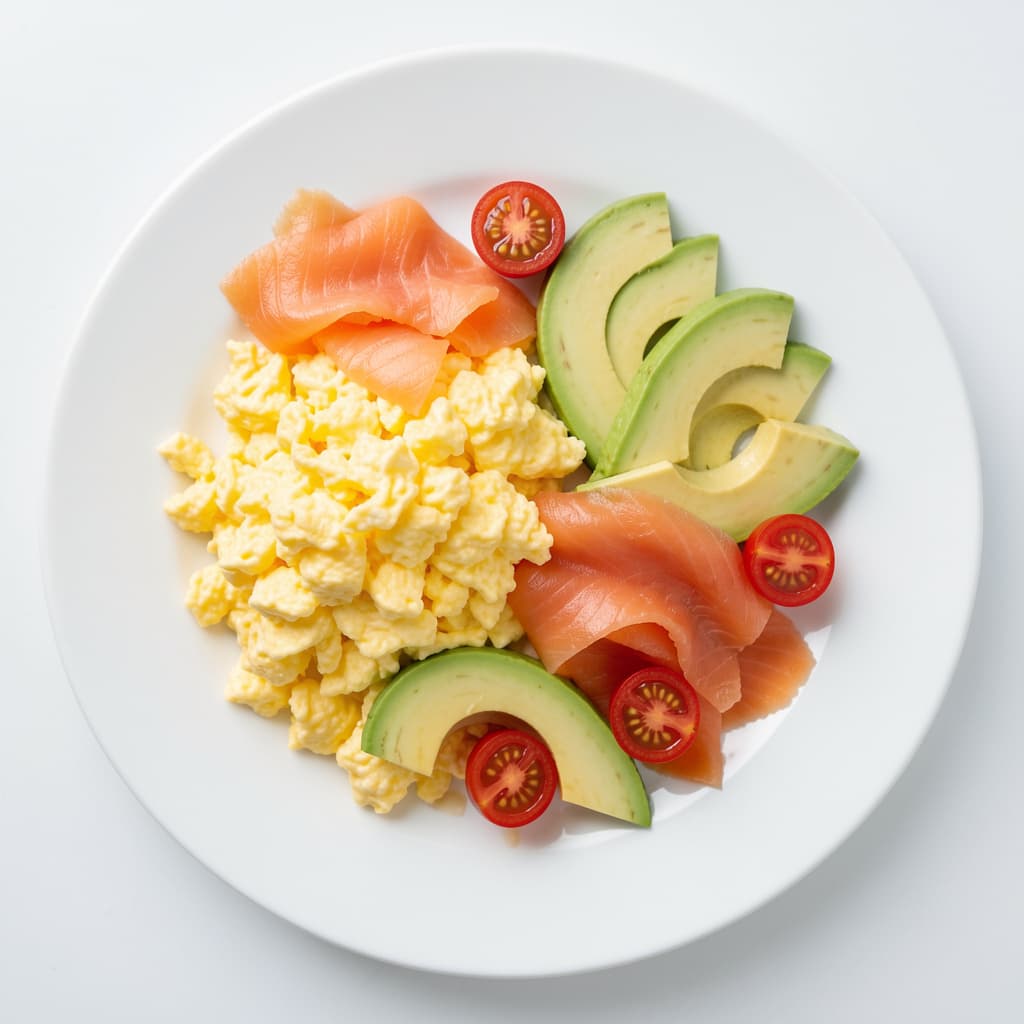
The timer is only half of intermittent fasting
Whether IF works depends just as much on what you eat when the window opens.
Timers count hours only
Most fasting apps track the clock and stop there — blind to what you eat next.
The wrong break undoes it
Open a 16-hour fast with refined carbs and you spike, crash, and lose much of the benefit.
Protein is hard in a short window
Eating in fewer hours makes hitting your protein and nutrition genuinely tricky.
Two apps that don't talk
Juggling a timer app and a separate food app means neither gives you the full picture.
CarbMeNot brings both halves together, so your eating window is as intentional as your fast.
Your fast and your food, together
One app for the clock and the plate.
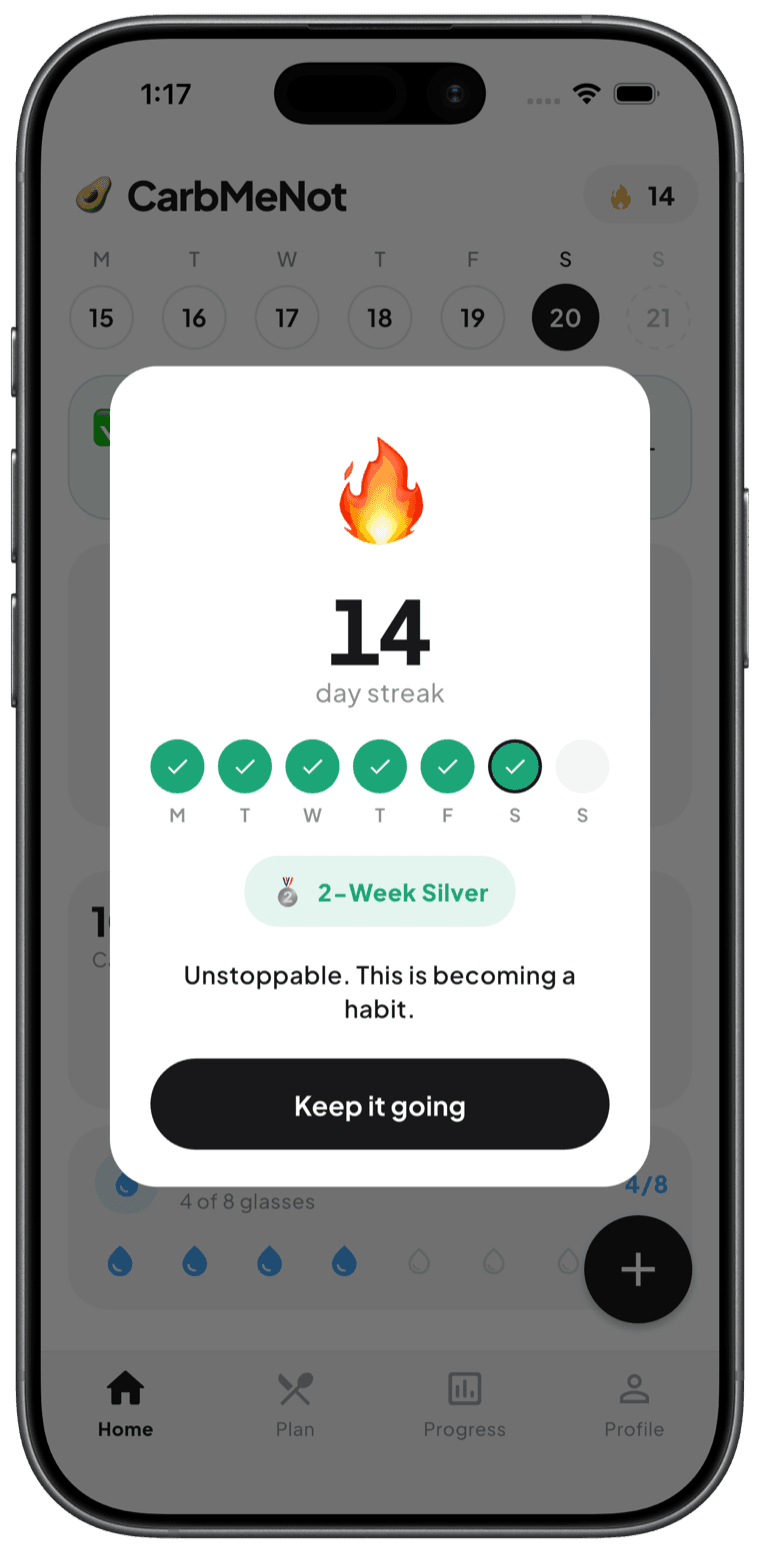
Track your window
Follow 16:8, 18:6, OMAD, or a custom schedule and see your windows at a glance.
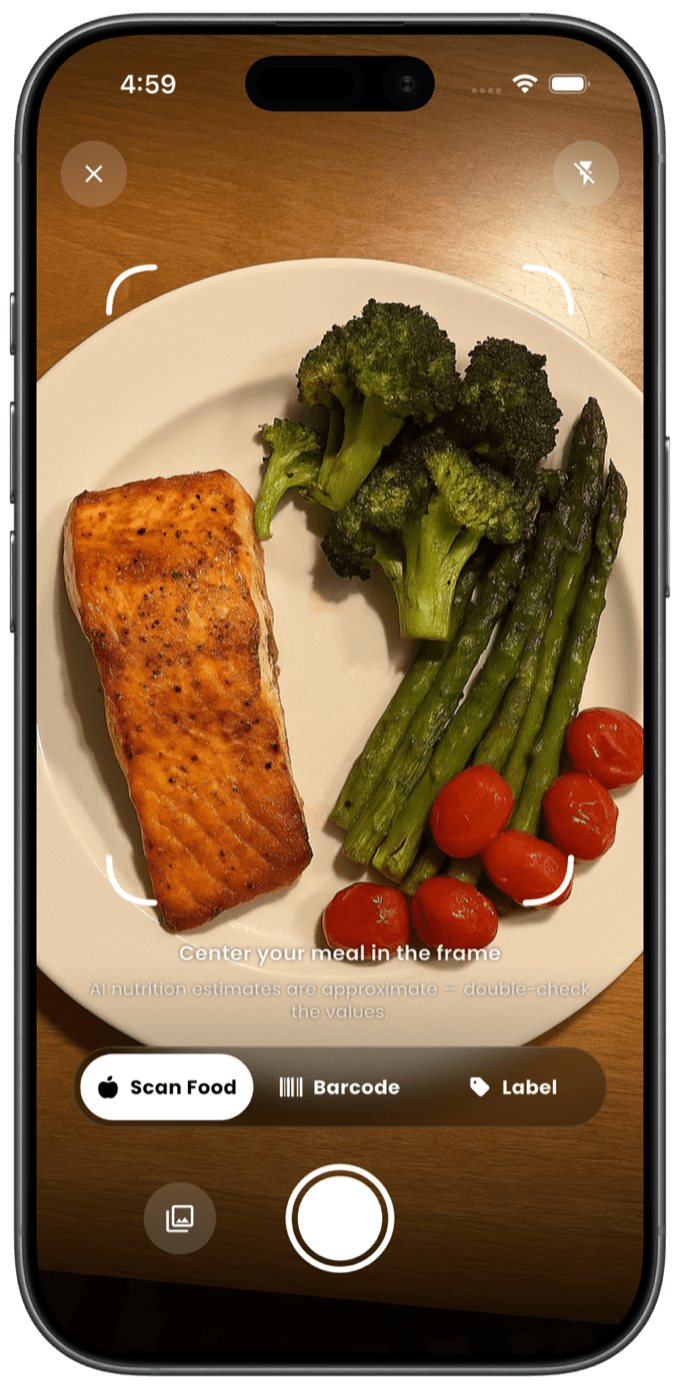
Snap when it opens
Break your fast? Photograph the meal and it's logged in seconds.
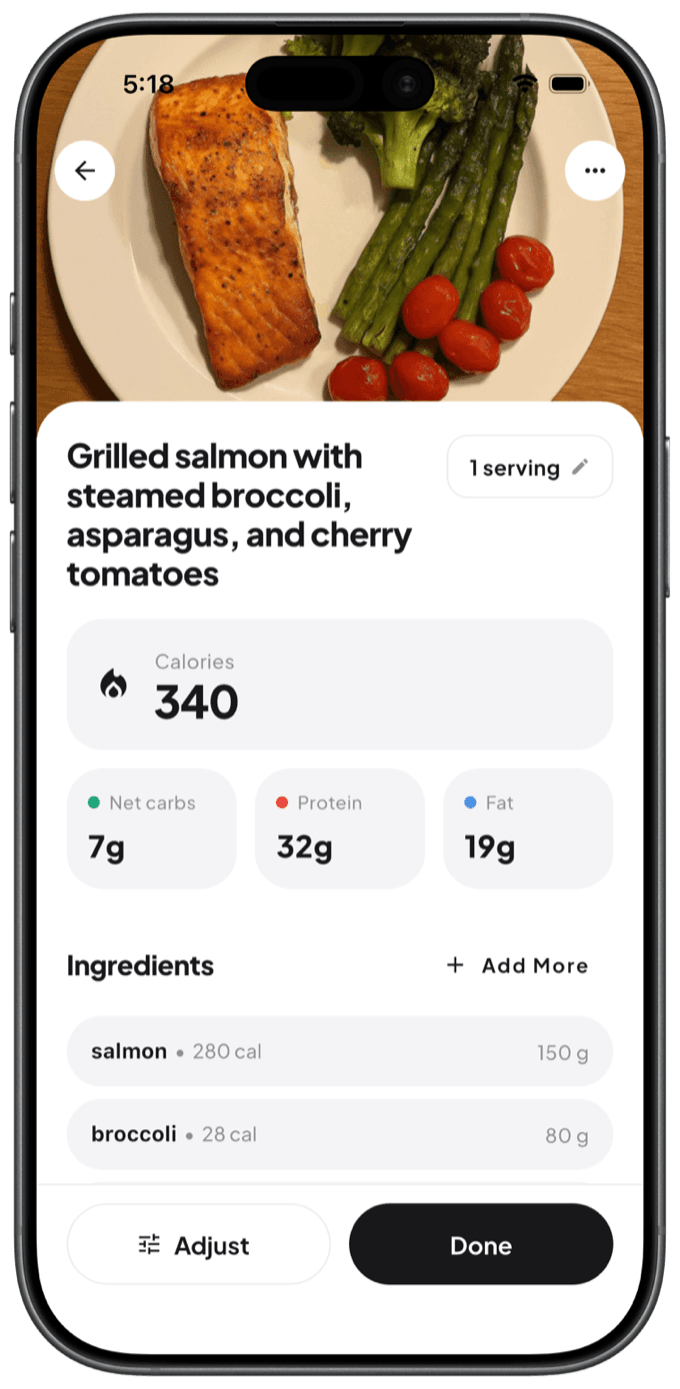
Break it smart
Net carbs and protein lead, so you open the window right instead of spiking.
Free to start · iOS & Android · No signup
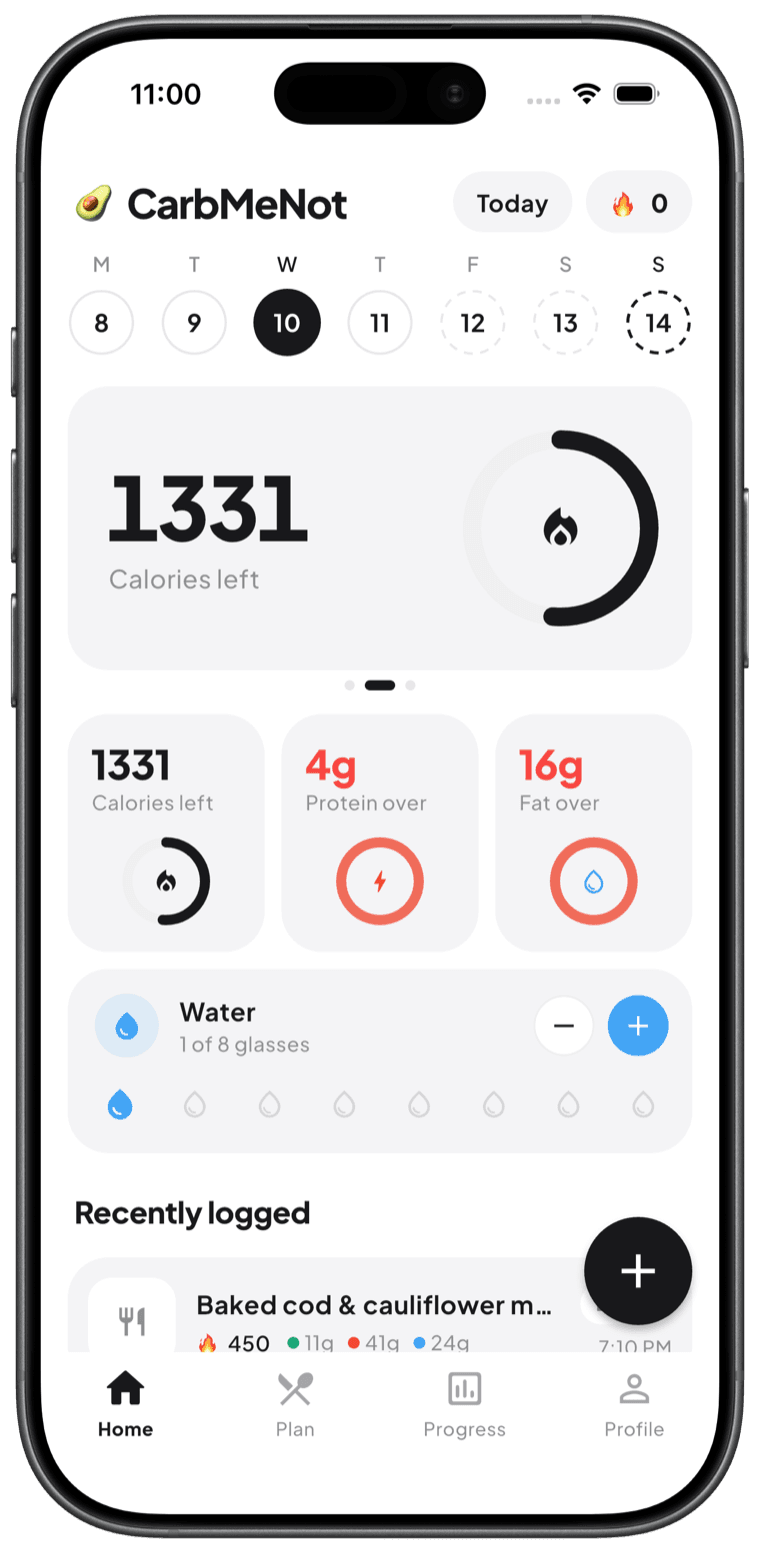
Stop juggling a timer and a food app
Your fasting window and your macros belong in the same place. See how your fasting pattern and your food choices move the trend together — so you can actually tell what's working over weeks, not guess.
- Fasting window and eating window in one view
- Net carbs and protein to break your fast well
- Weight and habit trends across your whole routine
Fasting plus food, done right
Window tracking
16:8, 18:6, OMAD, or custom — see your windows at a glance.
Log your window by photo
Snap the meal when you break your fast; it's logged instantly.
Break your fast smart
Net carbs lead, so you open with protein and fiber, not a spike.
Protein in a short window
Track it so a compressed window still covers your needs.
Weight & habit trends
See how your pattern moves the trend over weeks.
One app, not two
Your fast and your macros live in the same place.
Fasters who dialed in the window
Illustrative journeys from people like you.
“I used to break my fast with cereal and crash by 10am. Seeing net carbs made me switch to eggs first. Total game-changer for energy.”
 Owen B.
“One meal a day made protein really hard until I started tracking it. Now I make that window count instead of hoping.”
 Meline A.
“Timer in one app, food in another, syncing nothing — done with that. Having both together is why I stuck with fasting.”
More than a fasting timer
A clock alone can't tell you if your eating window works.
| CarbMeNot | Typical fasting timers | |
|---|---|---|
| Track your fasting window | ||
| Log the food in your window | ||
| Net carbs to break fasts well | ||
| Protein tracking | ||
| Photo food logging | ||
| One app for fast + food |
Everything for intermittent fasting
Fasting timer
16:8, 18:6, OMAD, custom.
Photo logging
Snap your window's meals.
Net carbs
Break fasts the right way.
Protein tracking
Cover a short window.
Streaks
Stay consistent.
Trends
See it working.
Barcode scanner
Fast packaged foods.
Personal goals
Built around you.
With you through the whole window
Overnight fast
Start your window and let the timer run while you sleep.
The final hour
See exactly how long until your window opens.
Breaking the fast
Snap your first meal and lead with protein, not a spike.
One-meal days
On OMAD, make sure that meal actually hits your protein.
Eating out
Log a restaurant meal in your window in seconds.
Closing the window
See your macros and start the next fast on purpose.
Intermittent fasting FAQs
- Does CarbMeNot track my fasting window?
- Yes. Track your fasting and eating windows (16:8, 18:6, OMAD, or custom) and, in the same app, log what you eat when the window opens with photo-based calorie and net-carb tracking.
- What should I eat to break a fast?
- Lead with protein and fat and keep net carbs moderate — eggs, Greek yogurt, fish or meat with vegetables, or nuts — rather than refined carbs that spike blood sugar after a long fast. The app shows net carbs and protein so you can break your fast well.
- What's the best fasting schedule for weight loss?
- 16:8 is the most popular and sustainable for most people, but the best schedule is the one you can keep consistently. Fasting mainly helps by making an overall calorie deficit easier, so what you eat in the window still matters.
- Is intermittent fasting safe?
- It's generally well tolerated for healthy adults, but not for everyone. Talk to your doctor first if you're pregnant or nursing, diabetic, underweight, or taking medication. CarbMeNot provides general information, not medical advice.
- Is it free?
- Yes — free to download on iOS and Android with no signup, and fasting and core food tracking are on the free tier.
Keep exploring
CarbMeNot provides general nutrition information, not medical advice. Values are estimates — verify before relying on them for any health decision. See our Medical Disclaimer.

Make your eating window count
Track your fast and log your food in one app. Snap a photo for instant net carbs and protein. Free on the App Store and Google Play.
Free to download · iOS & Android · No signup required